Dump your own L3 CDM
Sometimes you need widevine keys/device for whatever reason, like dumping content from your streaming service.
Install android studio by whatever means necessary#
Prepare a virtual device#
- create new device in device manager
- choose Pixel 4 XL
- install API 34 and select Google APIs Intel x86_64 Atom System Image
Prepare host and host software#
mkdir keydive && cd keydive
python3 -m venv .venv keydive && .venv/bin/activate
pip install frida frida-tools keydive
Download or build frida server apk#
git checkout https://github.com/frida/frida.git
wget https://github.com/frida/frida/releases/download/17.24.3/frida-server-17.24.3-android-x86_64.xz
Launch the android virtual device from studio#
Check that emulator is visible to adb#
adb devices
Run frida-server on virtual device#
adb root
adb push frida-server-17.24.3-android-x86_64 /data/local/tmp/
adb shell
cd /data/local/tmp/
chmod 750 frida*
./frida-server-17.24.3-android-x86_64
Run keydumper in python venv (keydive)#
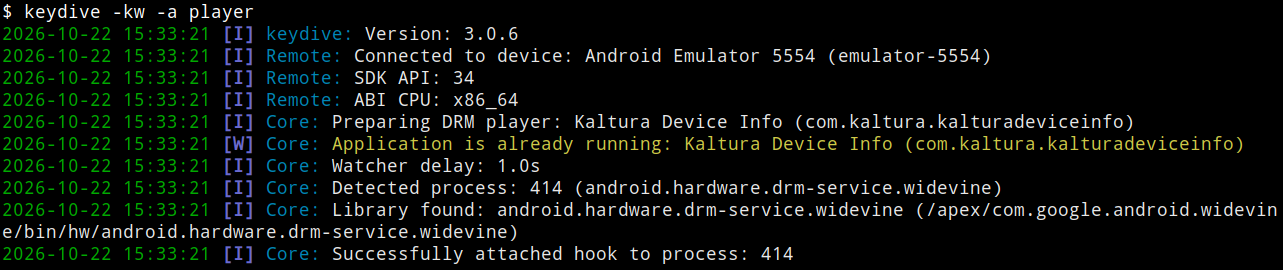
keydive -kw -a player
Proper startup looks like this:
Activate DRM test app in emulator#
Click on bottom right buttom and select “Test DRM playback”
Magic will happen and keys will be extracted to keydive console